Rapid-Mosaic Software
With Rapid-Mosaic, you can calculate your photo mosaic directly on your own Windows PC – without uploading your pictures to the internet. Once the mosaic picture is finished, you can either order it online right away as a high-quality print product or – with the Pro version – save it as an image file on your computer.
Create a mosaic picture – in four steps
Rapid-Mosaic offers a very simple user interface. To create a mosaic picture, only four inputs are required:
- The source image from which the mosaic picture will be created.
- The print size. Based on this information, Rapid-Mosaic automatically determines the correct resolution, number of mosaic tiles, etc.
- The folder with the images that will be used to build the mosaic picture. The more images available here, the better the mosaic effect will be.
- The *.rap project file where the calculation results should be saved.
You can then start the calculation.

Preview with variation selection
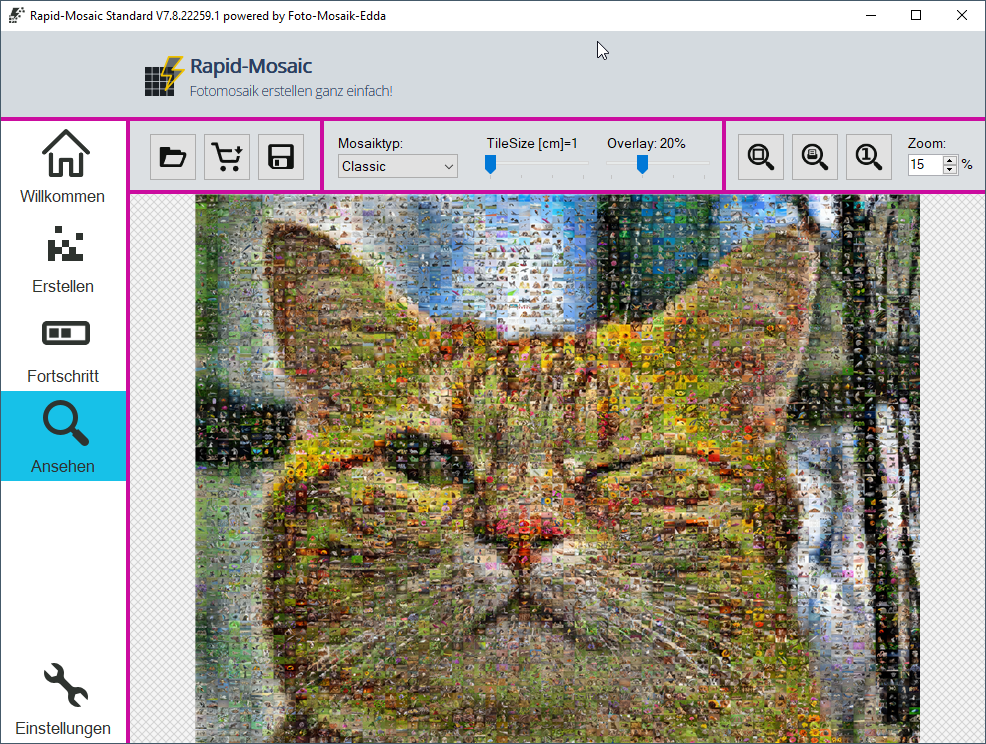
After the calculation is complete, the preview of the mosaic picture is loaded. Here you can zoom into the mosaic picture. A print preview can also be activated. In print preview, the size of the mosaic picture is displayed on the computer monitor exactly as it will later appear on the poster/canvas.
In the preview, you can also choose between different mosaic types such as classic, parquet, chaos, or detail mosaic pictures. The tile size as well as the blend with the original image can be adjusted using a slider. The mosaic picture does not need to be recalculated, because different variations of the mosaic picture have already been generated in advance.


Settings for professionals
In the settings, professional users can define, among other things, which variations, sizes, and blends Rapid-Mosaic should calculate.

Customer Reviews
Perfectly executed.
Super fast and not too expensive.
Would do it the same way again and again..
👍👍👍
The frame was for my son's 18th birthday, and I was under a time constraint. They did everything to ensure the gift arrived on time.
Thank you, thank you from the bottom of my heart.
You can see the German quality and exceptional reliability compared to many sites.
I was able to create my 70cm by 50cm mosaic with an iPhone!
Go for it with your eyes closed.
![Customer Photo by Jean for Review Print Photo Mosaic [Online] Acrylic 50x70cm](/image/500/rating-customer-photo-jean-2026-05-23-5377816.jpg)
Did You Know?
Our passion is photos and personalized print products. Check out our other creative gift ideas: